 Talent GPS · Your tBase Guide
Talent GPS · Your tBase Guide
Talent GPS · Your tBase Guide
tBase is the continuous performance layer of Talent GPS. Set aligned business goals and competency goals between every leader and team member, update progress as work unfolds, and exchange feedback while it still matters — not in a December form nobody reads.
tBase replaces the annual ritual with a rolling conversation. Each leader sets goals with each direct report once a cycle, then both sides exchange updates and feedback throughout the cycle. When the review window opens, the data is already there — no scrambling to remember what happened in March.
Every tBase cycle has two participants. Each gets a different view inside the app, tuned to what they do in the cycle.
Every tBase cycle aligns two things between leader and team member — both observable, both reviewable, both updated as the cycle unfolds.
The annual objectives, OKRs, and KPIs that connect each team member's work to the organization's outcomes. Set per cycle, tracked against actual results.
The behaviors and capabilities the team member is developing to grow into the next level — drawn from the same leadership model that powers the OBA and IGP. Set per cycle, tracked through observable behavior.
Review cycles repeat. Most organizations set quarterly cycles (e.g. Apr–Jun, Jul–Sep). For each cycle, goals are set at the start, updated through the middle, and reviewed at the end — with a review window that opens 7 days before the cycle closes and remains open for about a month.
Here is the end-to-end path as you'll see it on your phone. Steps 1–2 are the same for everyone. After Step 2 the flow forks: Talent Leaders take the My Team path (Steps 3–6), talents take the My Progress path (Steps 7–8). The cycle dynamics in Steps 9–10 are shared.
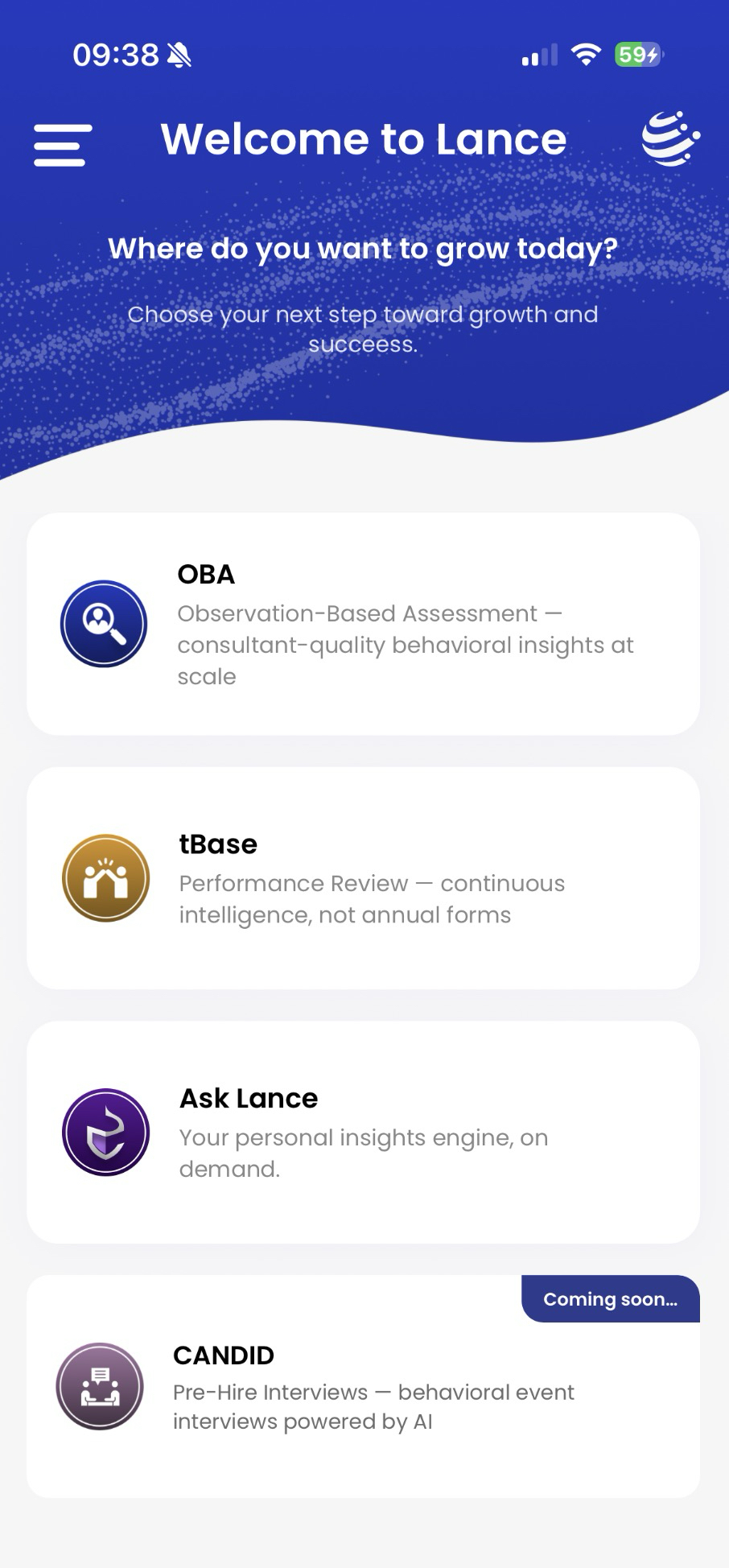
From the Welcome to Lance menu, tap the tBase tile — labelled "Performance Review — continuous intelligence, not annual forms." This is your home for goals and reviews. The same menu hosts OBA (assessments), Ask Lance (personal insights), and Candid (pre-hire interviews, coming soon).
tBase asks one question before anything else: "Who would you like to review?" Pick the card that matches what you're doing in this moment — you can switch any time.
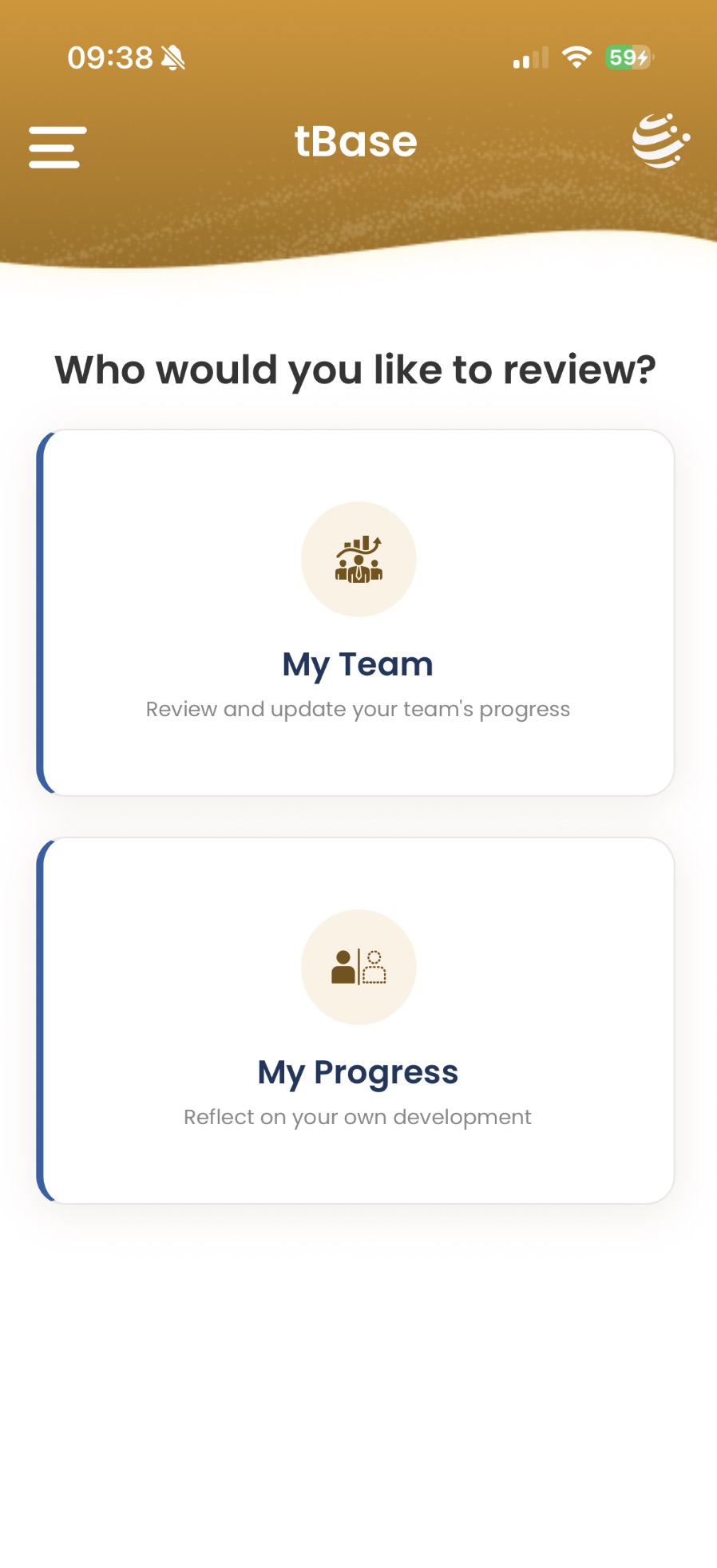
For Talent Leaders. Review and update your team's progress. This is where you set goals, run reviews, and track each team member's cycle.
For everyone (including leaders, who are also someone else's team member). Reflect on your own development and submit updates against the goals your own leader has set.
Most leaders spend time in both views — setting goals for their team, and updating their own progress toward what their own leader has asked of them.
The Your Team screen lists every direct report you're responsible for. Search by name or scroll the cards, then tap a name to expand it. You'll see three columns side by side: Review Cycles, Goals, and Reviews.
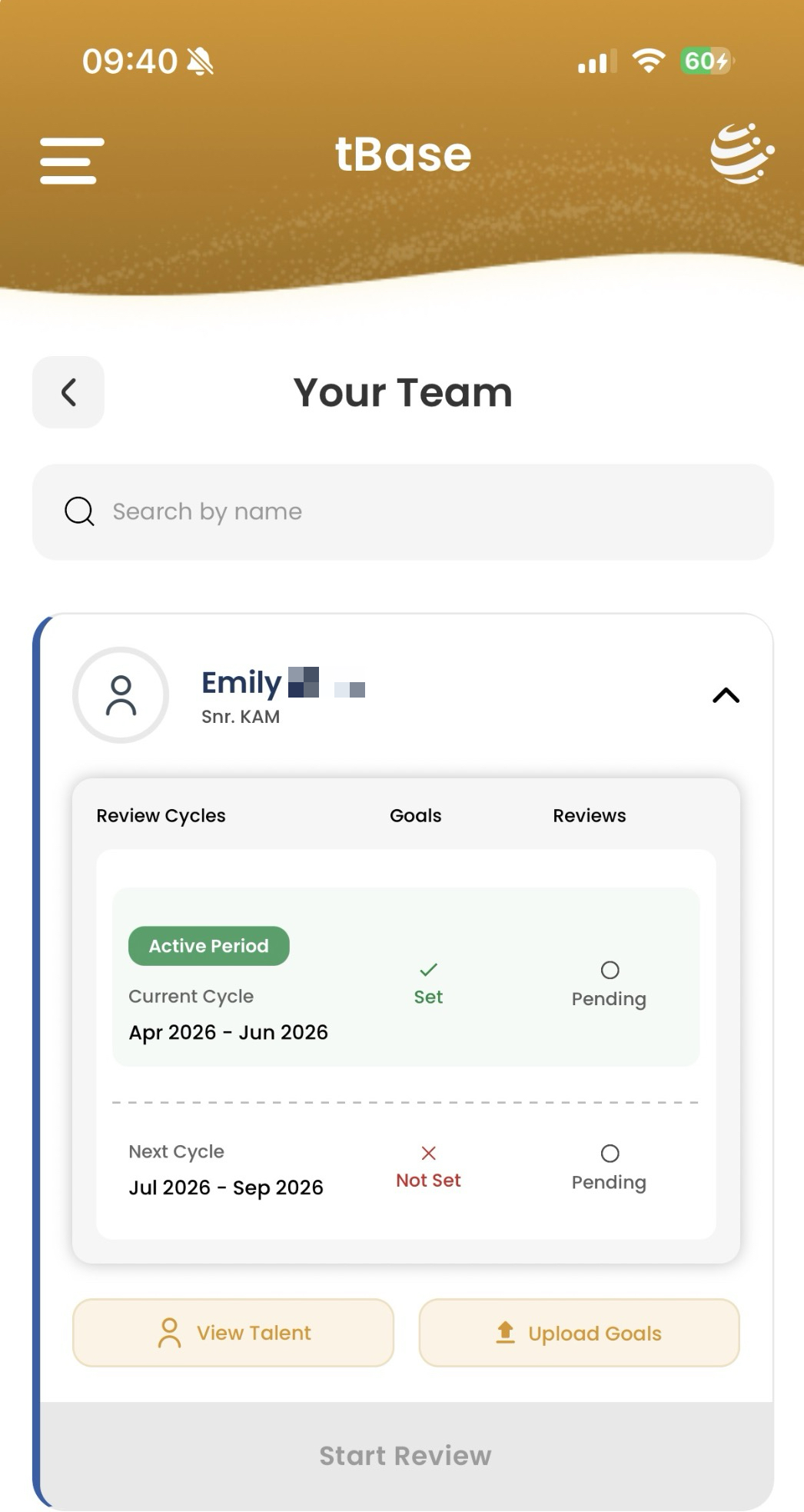
Each cycle shows whether goals are Set or Not Set, and whether the review is Pending or complete. Current cycle is tagged Active Period; the Review Window opens 7 days before the cycle closes.
View Talent — opens the full Talent Profile (Step 4).
Upload Goals — sets goals for the next cycle (Step 5).
Start Review — opens the review form during the window (Step 9). Greyed out when closed.
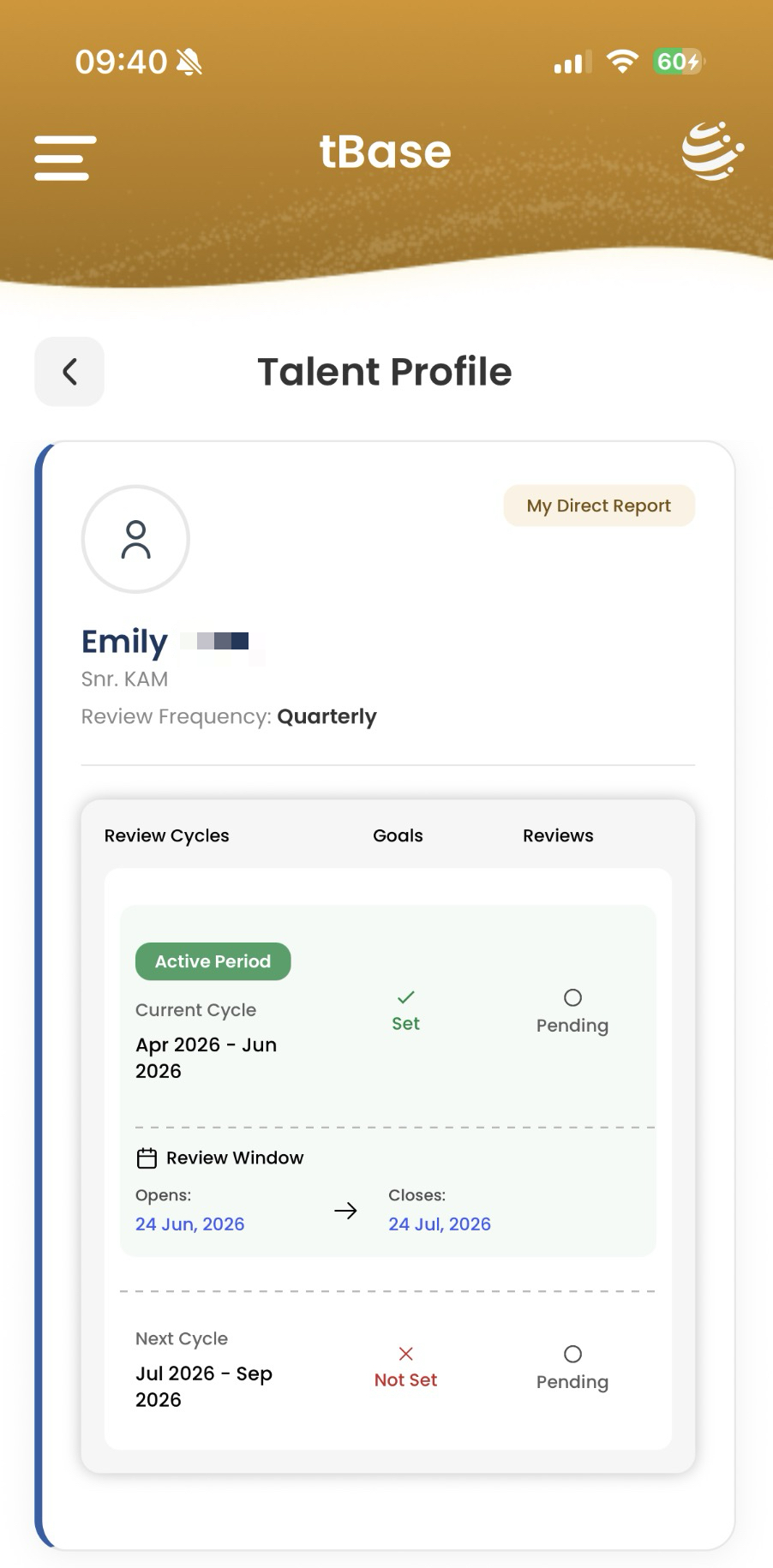
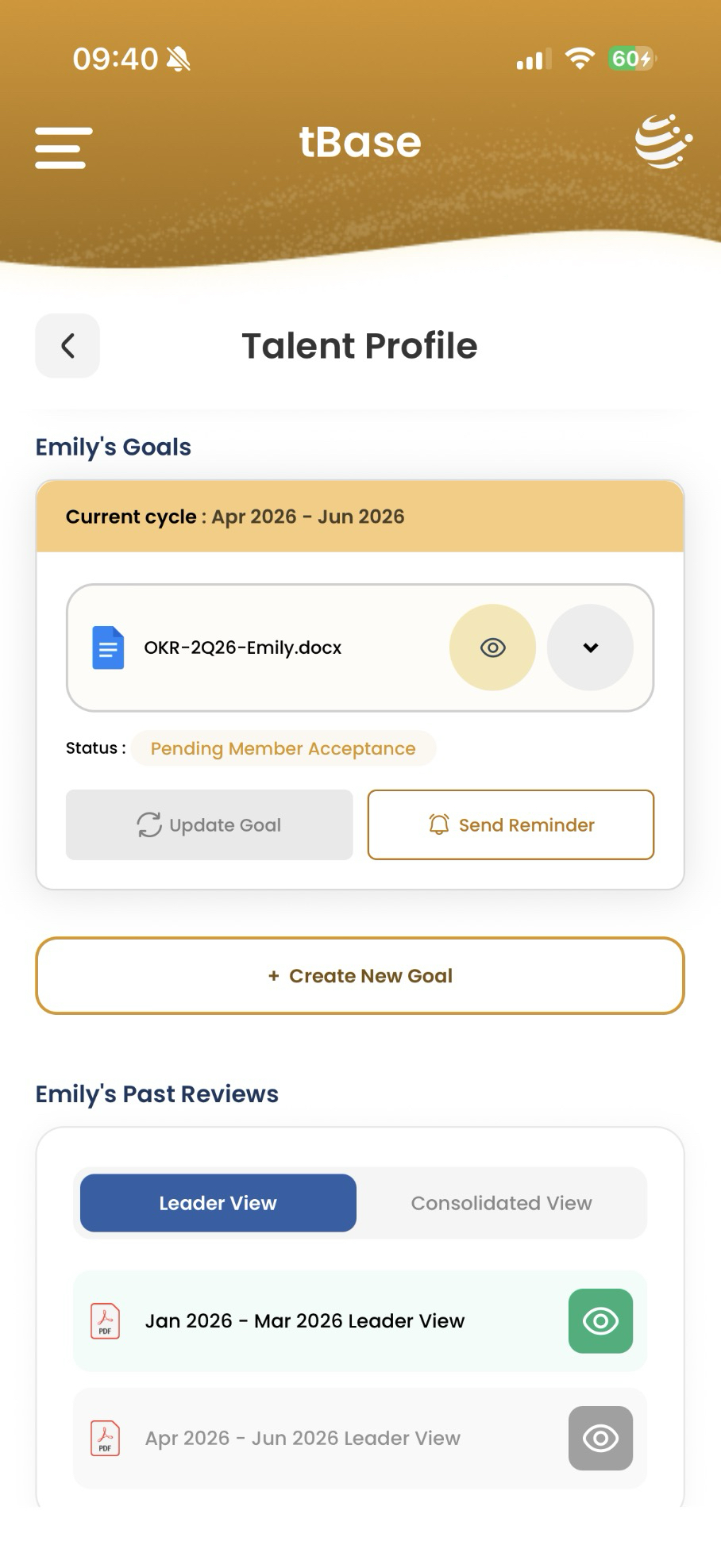
Tap View Talent and you land on the team member's full profile. From the top:
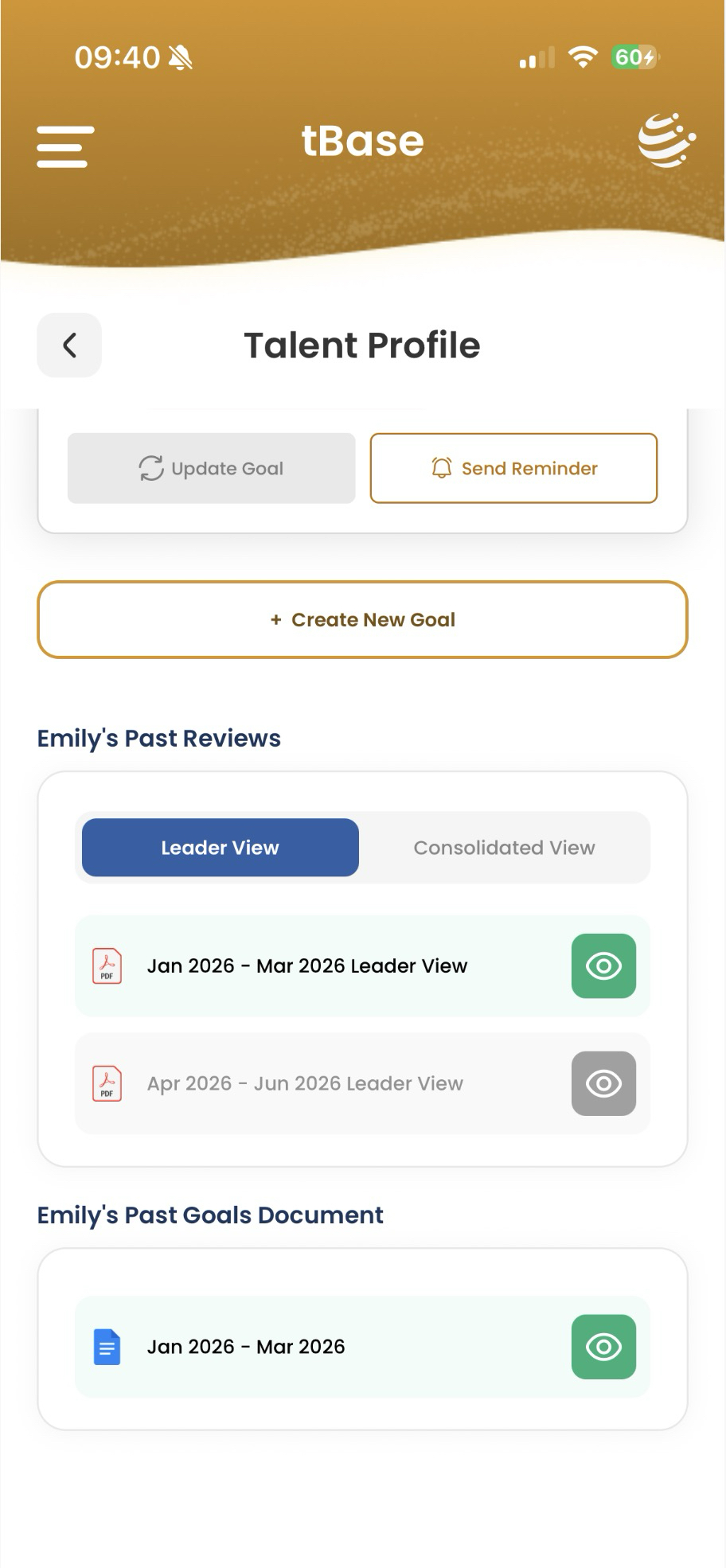
This screen is your single pane of glass for one team member. Scroll top to bottom and you have everything from "what we agreed" to "what we reviewed."
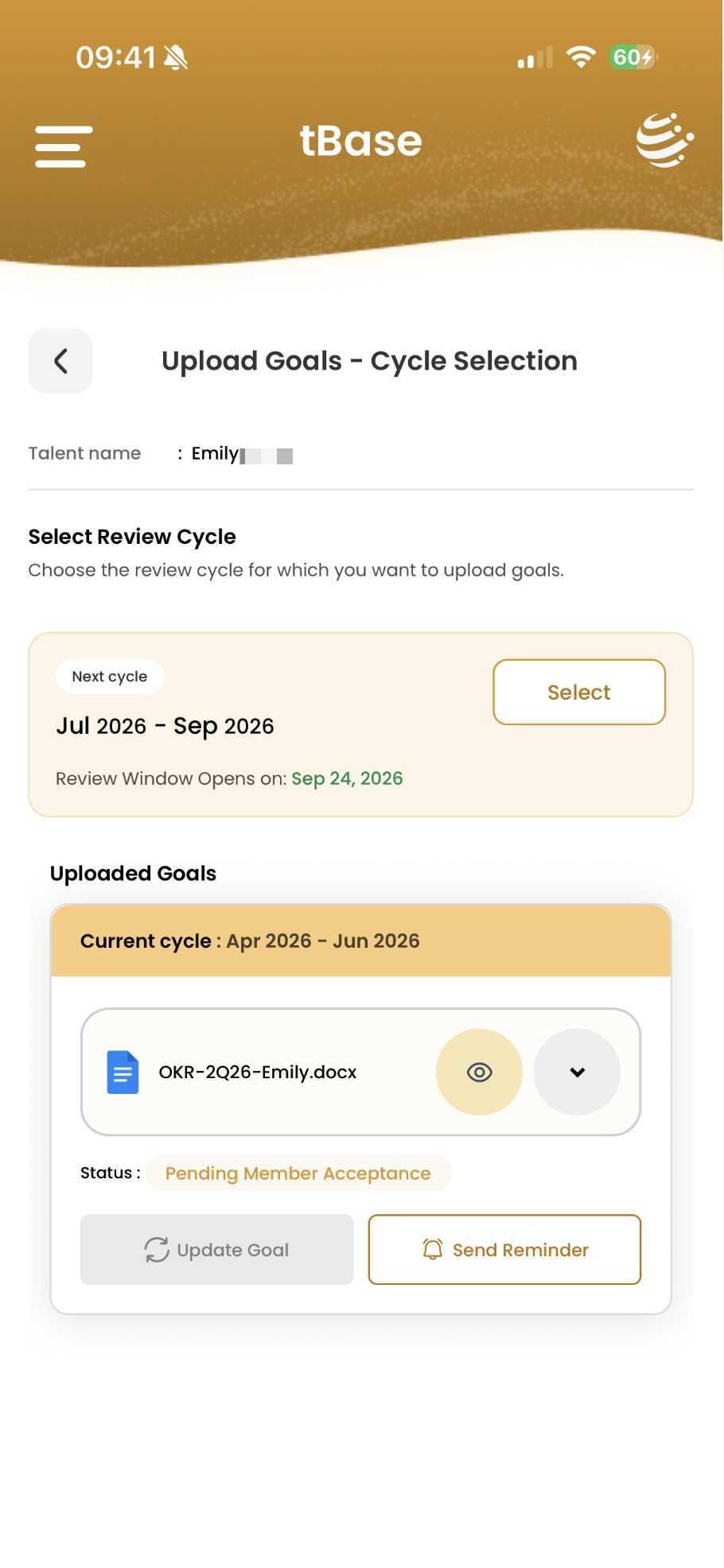
Tap Upload Goals (from the team list) or Create New Goal (from the Talent Profile). First, pick the cycle you're setting goals for — usually the next upcoming one, shown with a Next cycle tag and a Select button. Below it, tBase shows any goals already uploaded for the current cycle so you don't double-up.
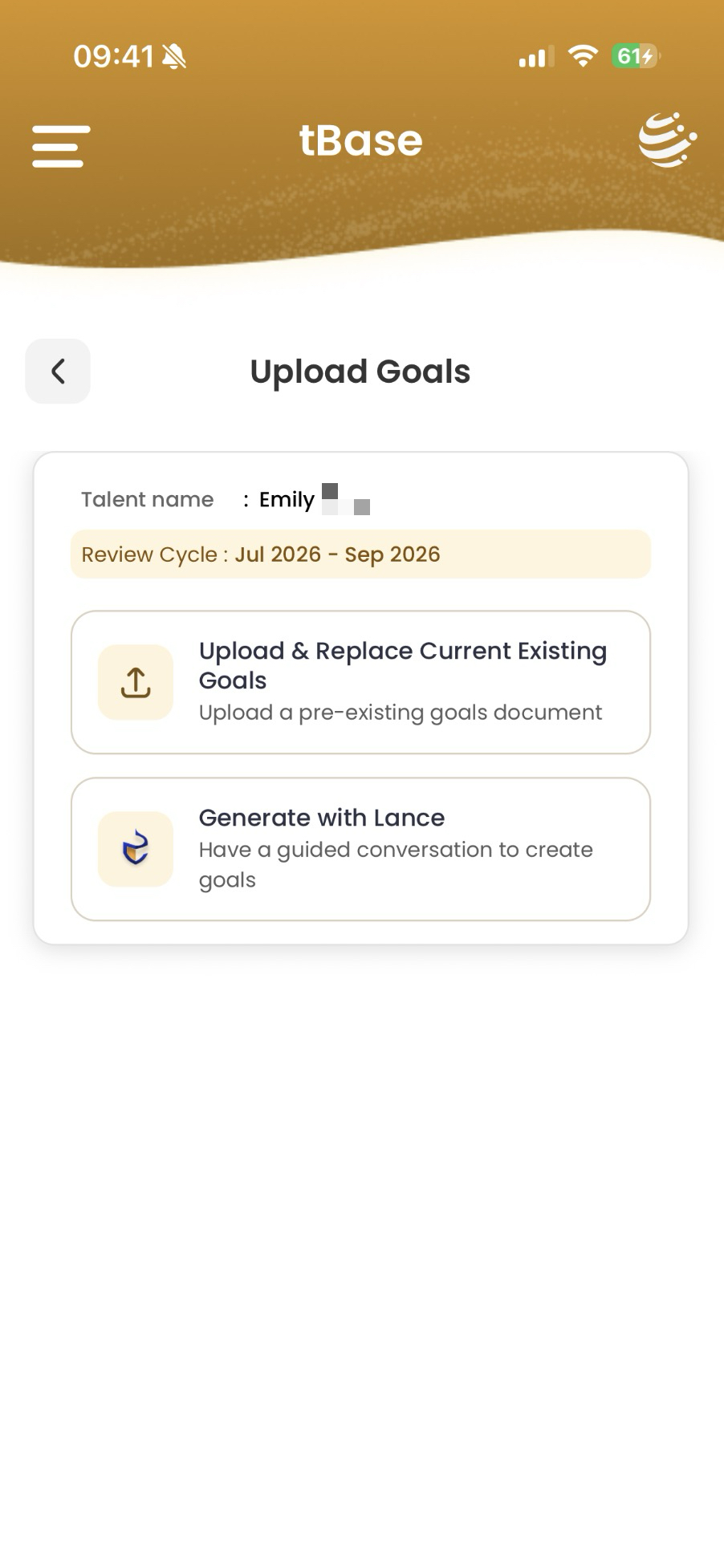
Once you've selected the cycle, choose how to create the goals:
After you file the goals — the agreement loop. The talent reviews what you set and either accepts it or sends edits back:
If you chose Generate with Lance, tBase opens a confirmation screen showing the talent and review cycle, with a one-session warning. Tap Proceed to start.
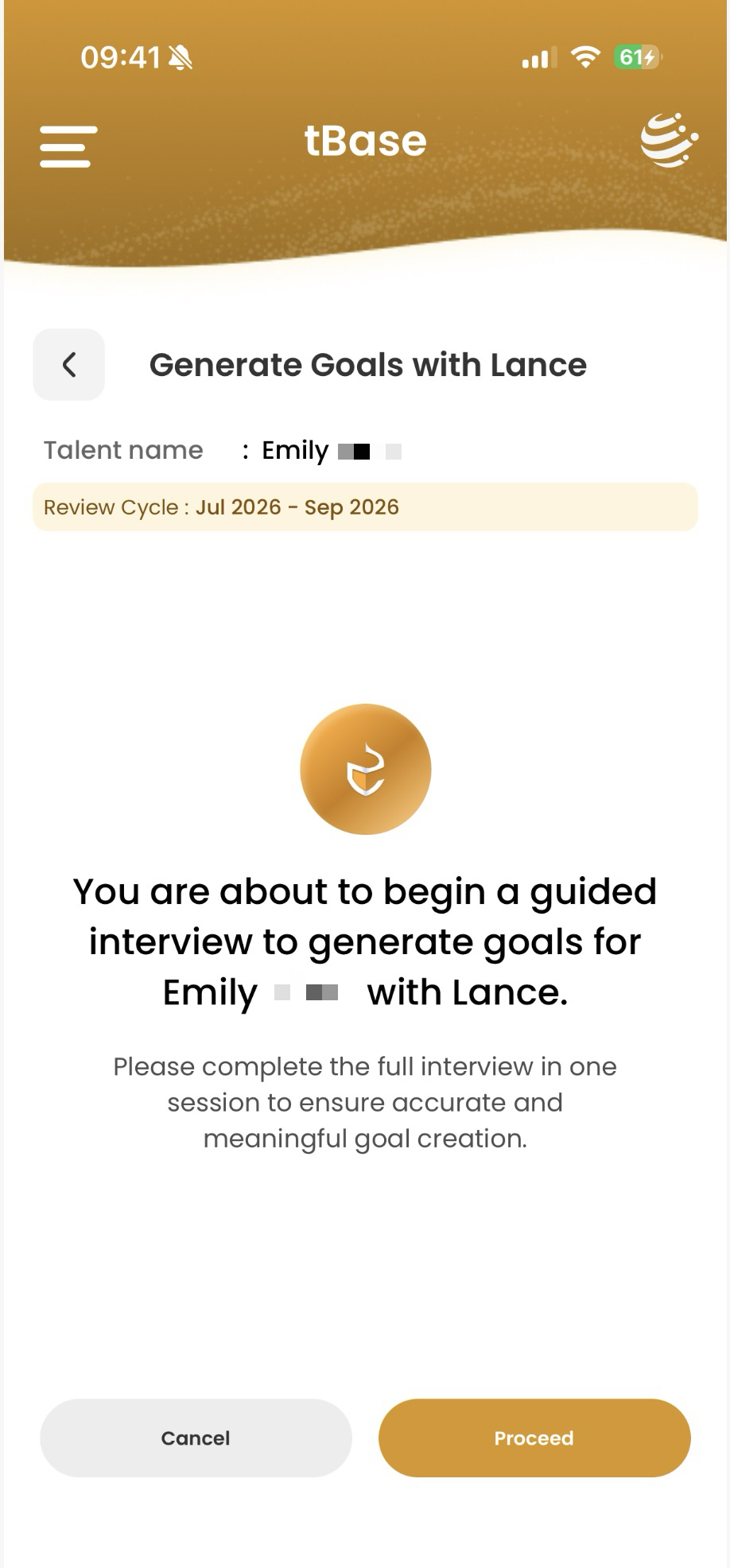
Lance asks a series of questions about what this person should focus on this cycle — the business outcomes you want, the behaviors you want to see more of, the context they're operating in. Answer in your own words; Lance does the structuring.
A draft goals document you can review, edit, and then file against the cycle — exactly like an uploaded one. The talent then accepts it from their side.
Lance's prompts work best when you can think through each question without interruption. Midway pauses don't preserve state — that's why the screen asks you to finish in one session.
If you picked My Progress, tBase shows the My Leader screen. Your direct manager appears as a single card — name, role, photo. The whole layout mirrors what your leader sees in their Your Team screen for you. If you report into more than one leader, additional cards stack below.
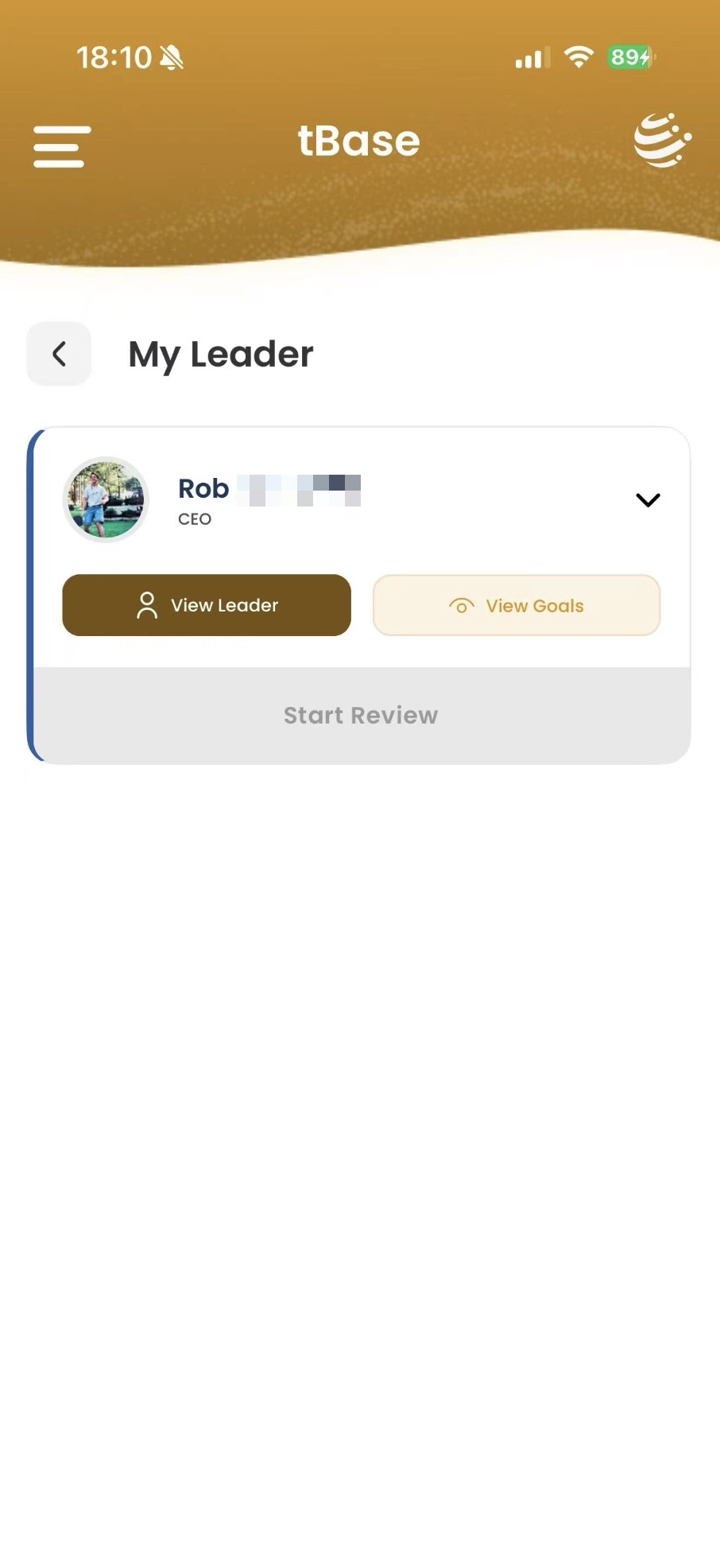
Opens the full Leader Profile (Step 8) where you see every cycle status and your full goals history.
Jumps straight to the goals your leader has set for the current cycle. If they haven't set them yet, you'll see a "you'll be notified" empty state.
Sits at the very bottom of the screen, greyed out until the review window opens. Tap it then to file your own self-review for the cycle.
From the My Leader screen, tap View Leader to open the full Leader Profile, or View Goals to jump straight to this cycle's goals page.
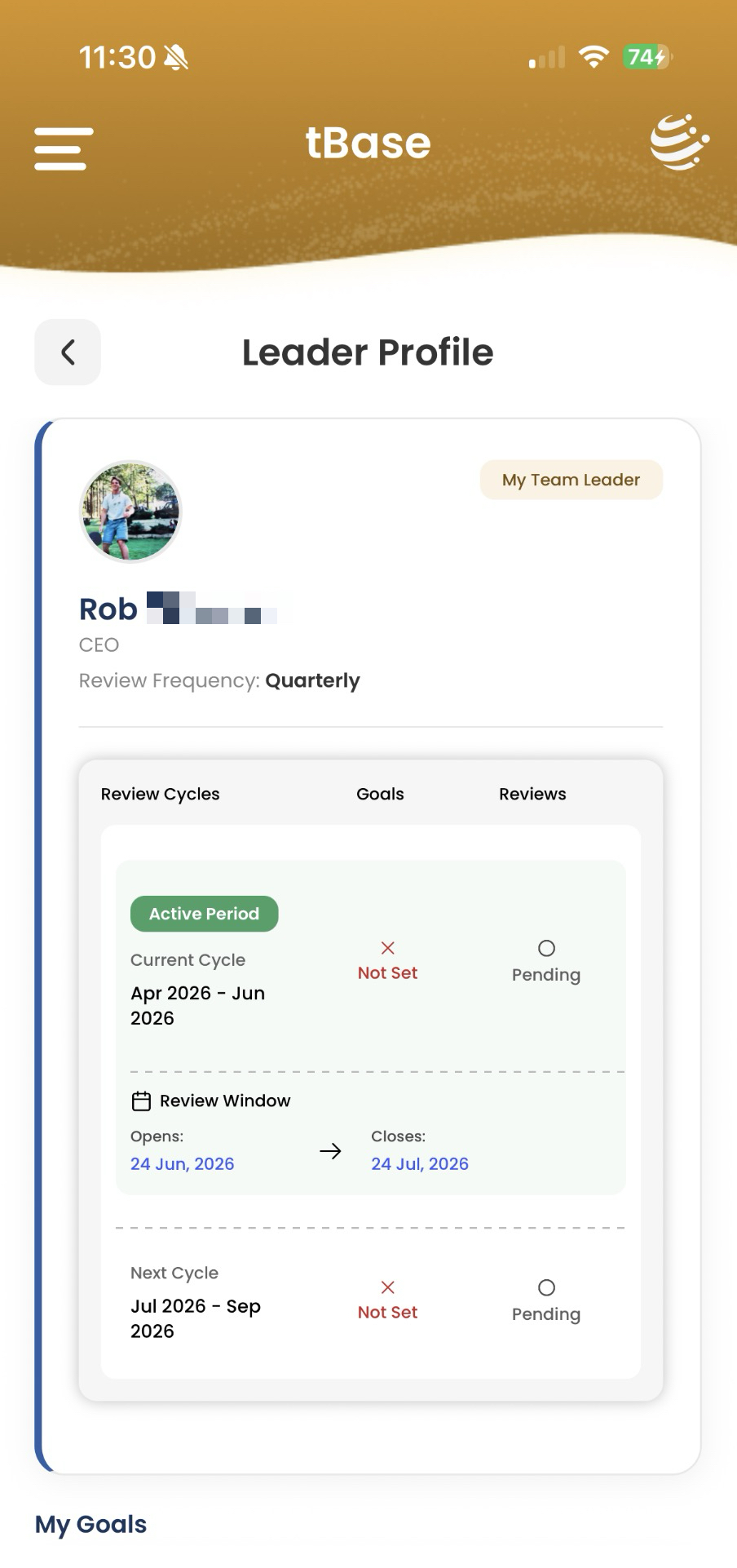
Mirrors the Talent Profile from your leader's side: header, a My Team Leader badge top-right, and a three-column card (Review Cycles / Goals Set or Not Set / Reviews Pending or complete). Scroll below for My Goals — goals filed against each past cycle plus the current one.
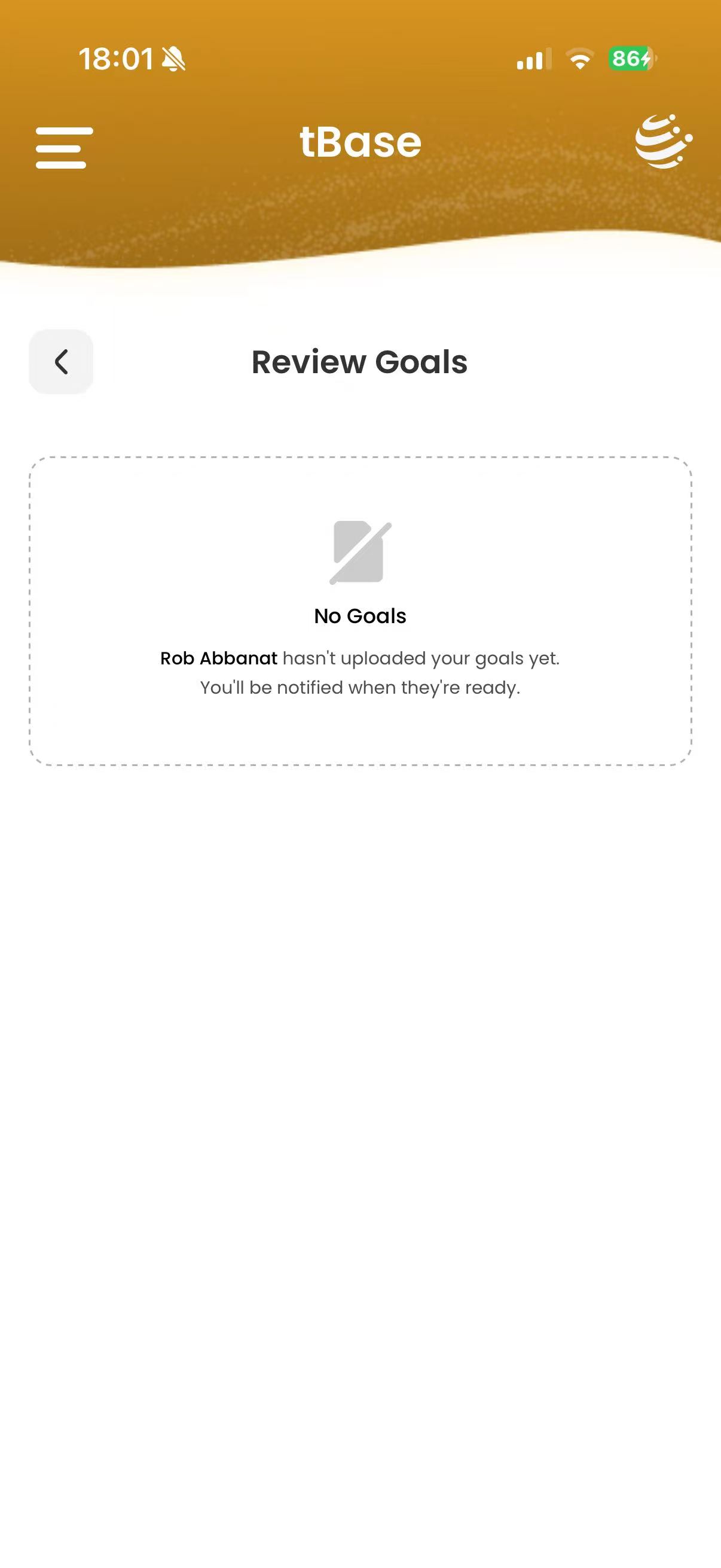
Goals set → you'll see the goals document with an option to Accept. Once accepted, this is where you log progress updates against each target through the cycle.
Not yet → "[Leader] hasn't uploaded your goals yet. You'll be notified when they're ready." Sit tight, tBase pings you when it's there.
Accept, or suggest edits. When the goals are there, you don't have to take them as-is:
Once goals are set and accepted, tBase becomes the surface where real-time updates land:
When the Review Window opens (on the 1st day of the review cycle), the Start Review button at the bottom of the team member's card lights up. Tapping it opens the structured review form, pre-populated with everything that's been logged. You write the feedback in tBase, the talent receives it, and the review is filed.
Every completed review becomes a PDF that lives on the team member's profile. There are three views, depending on whose interview produced the report:
Past goal documents are stored alongside, so for any quarter you can trace: what we agreed, what they updated on, what each side reviewed at the end. Over a year, that's four cycles of evidence-grounded development — not one frantic form in December.
Cycles set the rhythm; the conversation does the work. tBase doesn't replace the manager — it gives the manager a structured surface for what good managers already do: clear goals, regular check-ins, written feedback that lands when it still changes behavior.
tBase is designed so candid updates and honest feedback are safe on both sides of the conversation.
Goals documents are visible to the leader, the team member, and (when appropriate) the next level up. They are filed per cycle — not broadcast across the org.
Real-time updates from the talent are visible to the talent and their leader. They are not aggregated into any cross-team dashboard without explicit configuration.
Reviews exist in three views, by whose interview produced them. The Leader View is the report from the leader's interview about the talent. The Talent View is the report from the talent's own self-interview. The Consolidated View blends both into one document, generated for the talent. Leaders see Leader View + Consolidated; talents see Talent View + Consolidated.
The goal is the same as the rest of Talent GPS: an honest mirror, held by people rooting for the team to win — not a surveillance feed.